Pag-IBIG Member’s Data Form (MDF): Getting, Updating, and Printing Your Form
Your employer asks you to bring a Pag-IBIG form to HR. A loan officer requests your member’s data form. You try logging into the Pag-IBIG website to print it but cannot find where it lives. Then you wonder if you even need it anymore, or if it is only for first-time members. The Member’s Data Form, commonly called the MDF, sits at the center of many Pag-IBIG transactions, yet many members remain confused about what it actually is, when they need it, and how to access it.
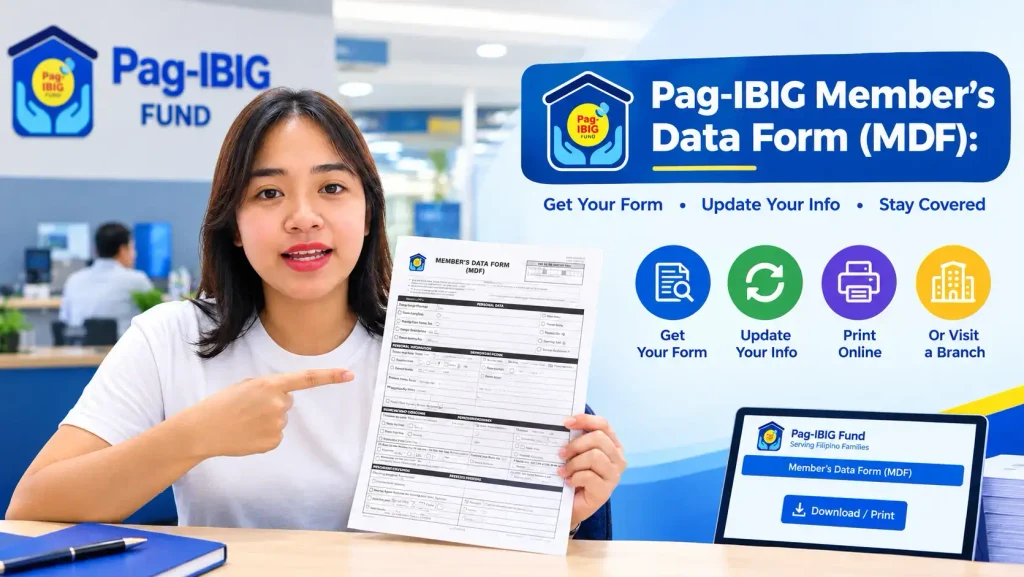
This guide cuts through the confusion. You will understand exactly what the Member’s Data Form is, why Pag-IBIG requires it, how to obtain it (whether online or in person), when you actually need to use it, and what to do if your form goes missing or your information has changed since you created it.
What Is the Pag-IBIG Member’s Data Form (MDF)
The Member’s Data Form, abbreviated as MDF, is the official document that records your personal information in the Pag-IBIG system. It captures your name, birth date, address, employment information, contact details, civil status, and other identifying data tied to your membership. Think of it as the Pag-IBIG Fund’s official snapshot of who you are.
The MDF serves multiple purposes. For new members, it is the document you complete during registration to generate your Pag-IBIG membership number (MID). For existing members, it is the form you update when your personal information changes—a new address, surname after marriage, employment status, or contact number. For employers, it is the document they submit to Pag-IBIG to formally register employees for payroll deduction. For loan applications, it is supporting documentation verifying your identity and membership status.
The Member’s Data Form is available from Pag-IBIG through various methods. Pag-IBIG provides online services through Virtual Pag-IBIG, and the MDF is also available as a downloadable form from the official Pag-IBIG website. The form serves the same essential purpose whether you access it online or in printed format.
Why the Pag-IBIG Member’s Data Form Matters
Many members view the MDF as administrative paperwork they need but do not think much about. However, the accuracy of your Member’s Data Form directly affects your entire Pag-IBIG experience. An error on your form—a misspelled name, incorrect birth date, or outdated address—creates problems that cascade through loan applications, benefit calculations, and fund disbursements.
When you apply for a Pag-IBIG loan, the lender cross-references your application against your member’s data form. Discrepancies between the two cause loan denials or requests for corrections. If your form lists your old address but your employment certificate shows a new one, the mismatch creates verification delays. If your registered name differs from your government ID, processing gets held up until the inconsistency is resolved.
The Member’s Data Form records important information about your membership. The details you provide on your form are maintained in your member record and may be used by Pag-IBIG when processing membership transactions, loan applications, and other services.
Where to Get Your Pag-IBIG Member’s Data Form
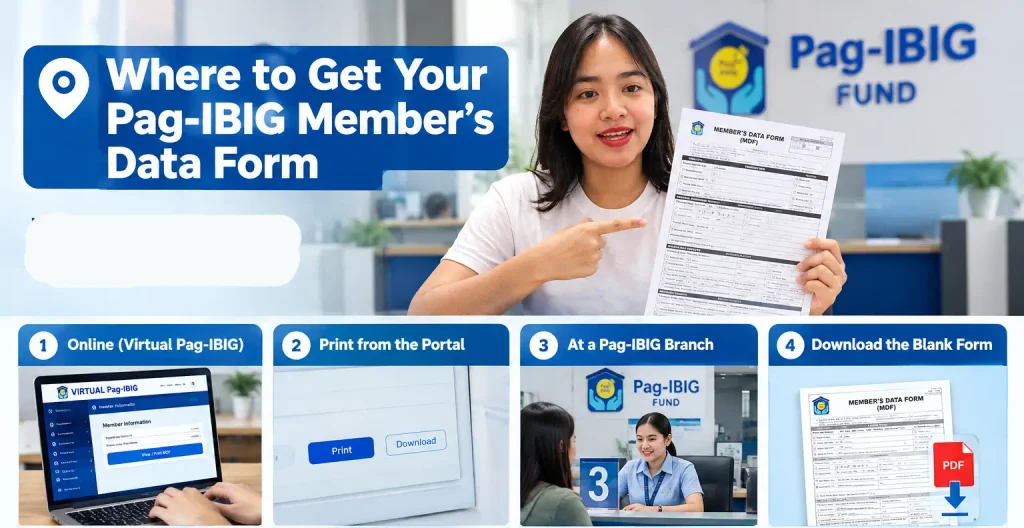
The location of your member’s data form depends on when you need it and what you plan to do with it. Fortunately, multiple access paths exist.
Accessing Your Member’s Data Form Online
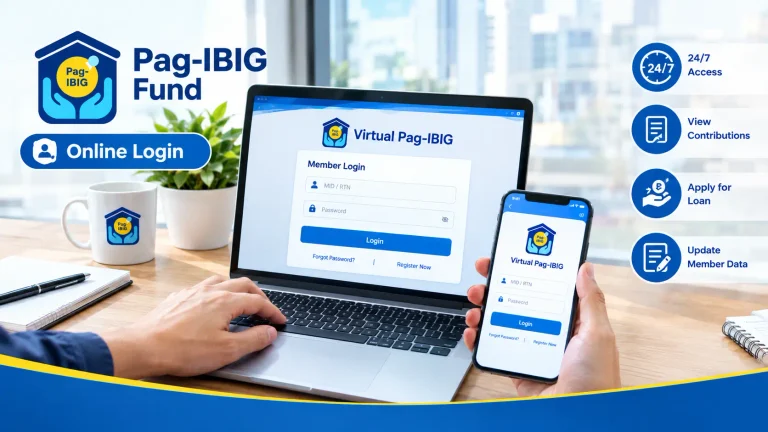
If you have a Virtual Pag-IBIG account, you may be able to access or view your member information through your online account. Follow the current portal’s instructions to access your records. Portal features and menu locations may change, so if you have difficulty locating information, contact Pag-IBIG for current guidance on accessing your member data online.
Printing Your Member’s Data Form From the Portal
Once you locate your MDF in the Virtual Pag-IBIG portal, printing is straightforward. Look for a “Print” or “Download” button, and select Print. Your browser’s print dialog opens, allowing you to choose your printer and adjust settings. You can print to a physical printer if you have one, or print to PDF if you want to save the file instead of producing a physical copy.
Some members find it helpful to print multiple copies at once and keep them filed at home. This prevents the need to log in and print every time you need a copy, which saves time and internet access frustration.
Requesting a Printed Copy at a Pag-IBIG Branch
If you need a printed copy of your Member’s Data Form, visit a Pag-IBIG branch in person. Bring your government ID and your Pag-IBIG MID number (or your name if you cannot locate your number). A branch staff member can assist you with obtaining your member data form documentation.
Downloading the Blank Member’s Data Form
Pag-IBIG also publishes a blank Member’s Data Form template on its official website for members who need to complete a new form (usually new members or those registering for the first time). This downloadable form comes in PDF format, allowing you to fill it either by hand or using PDF editing software.
If you obtain a blank form, complete it carefully. Every field should be filled accurately and legibly. Forms with unclear handwriting, crossed-out sections, or missing information get rejected by Pag-IBIG, requiring resubmission.
Understanding the Member’s Data Form Format and Content
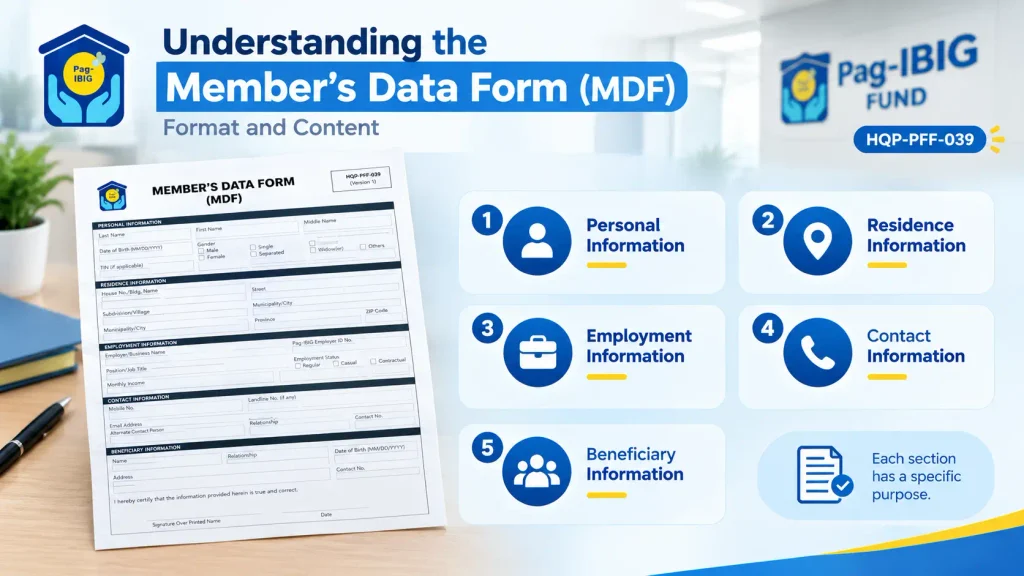
The standard Pag-IBIG Member’s Data Form is identified as HQP-PFF-039 in current official Pag-IBIG documentation and contains the following sections:
Lorem ipsum dolor sit amet, consectetur adipiscing elit. Aenean diam dolor, accumsan sed rutrum vel, dapibus et leo.
Your complete address, including province, municipality, barangay, and postal code. This is where Pag-IBIG sends official correspondence, so accuracy matters.
Your employer name, company Pag-IBIG ID number, job position, and employment status (regular, casual, contractual, or self-employed). For employed members, this section links you to your company’s payroll records.
Your mobile number, email address, and any alternate contact details. Pag-IBIG uses this information for updates, notifications, and account recovery.
This section identifies who legally receives your accumulated fund.
Each section serves a specific purpose in your member record, and errors in any section create downstream problems.
How to Update Your Pag-IBIG Member’s Data Form
Your personal circumstances change—you move to a new address, change jobs, get married, or acquire a new phone number. When they do, updating your Member’s Data Form ensures your Pag-IBIG record remains accurate.
Updating Your Member Information
If your personal information changes after registration—such as your name, address, employment, or contact details—Pag-IBIG’s official procedures direct members to accomplish the Member’s Change of Information Form (MCIF, form HQP-PFF-049) and submit it to a Pag-IBIG branch. The specific requirements may vary depending on the type of information you are updating.
Updating Your Form at a Pag-IBIG Branch
For updates you prefer to handle in person, visit a Pag-IBIG branch with your current MDF and government ID. A staff member reviews your form, discusses what information needs updating, and processes the changes. The branch may issue a new printed form immediately or process it in the background, depending on the extent of changes and current branch workload.
Branch updates carry official processing and documentation, which can be valuable if you need to prove that your information was formally updated with Pag-IBIG. Some members prefer this method for significant changes like address verification or employment updates, since the branch creates an official record of when the change was made.
Common Information That Requires Updating
When You Actually Need Your Member’s Data Form
The Member’s Data Form is not required for every Pag-IBIG transaction, and understanding when you actually need it prevents unnecessary confusion and branch visits.
New Member Registration
First-time Pag-IBIG members complete a Member’s Data Form to generate their membership number. The form is how you officially enter the Pag-IBIG system.
Employer Registration
When you start a new job with an employer that participates in Pag-IBIG, your employer may request a completed Member’s Data Form
to register you in their payroll system.
Loan Applications
Certain loan applications, particularly housing loans, request a copy of your Member’s Data Form as supporting documentation. The lender uses it to verify your identity.
Formal Requests and Government Submissions
Some government agencies, financial institutions, or formal processes request proof of Pag-IBIG membership and member information.
Updates to Your
Personal Information
When your information changes significantly—new address, new employment, name change—updating your member’s data form ensures.
Branch Transactions
If you visit a Pag-IBIG branch to apply for a loyalty card, request documents, having your member’s data form available (online or printed) can speed up the process.
Common Issues With the Member’s Data Form and How to Handle Them
Lost or Missing Member’s Data Form
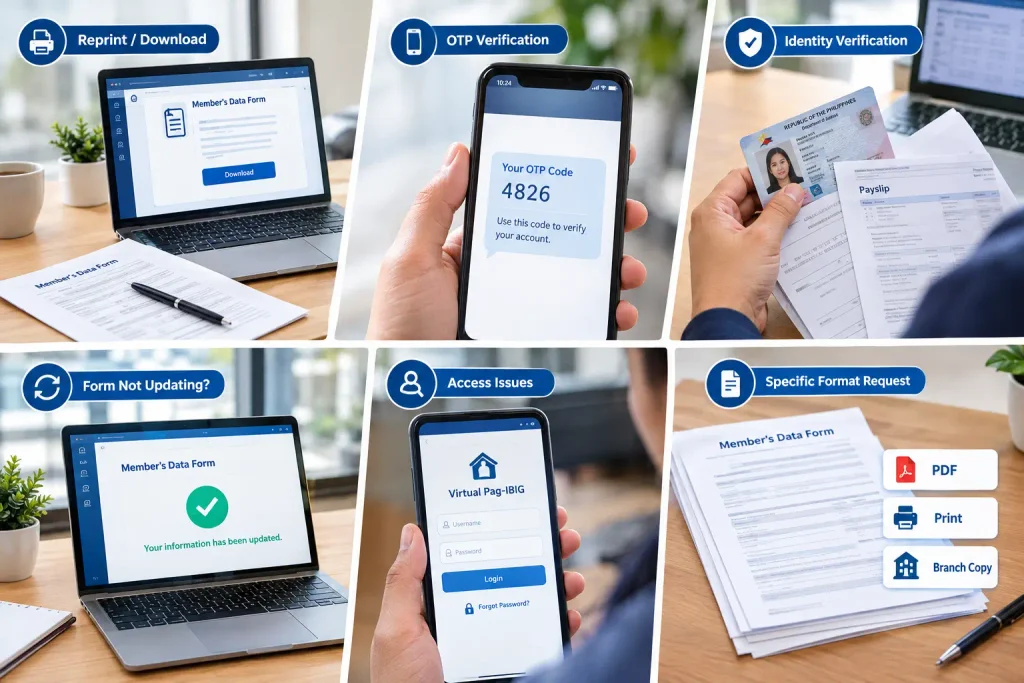
If you lost a printed copy of your Member’s Data Form, you can simply print another copy from the Virtual Pag-IBIG portal using the steps described earlier. If you never had a printed copy and never saved a digital copy, accessing Virtual Pag-IBIG and downloading it there takes only minutes.
The only scenario where a truly “lost” form creates problems is if you need an officially stamped copy from a Pag-IBIG branch. In that case, visit a branch with your government ID and request a printed copy.
Errors or Discrepancies in Your Member’s Data Form
If you notice errors in your form—misspelled name, wrong birth date, incorrect address—correct them immediately. The longer errors persist in your member record, the more problems they create with loan applications and benefit calculations.
If the error is simple (a typo in your name, a digit wrong in your phone number), you can usually correct it through the online portal directly. If the error involves significant information or you are unsure whether you can modify it yourself, contact Pag-IBIG directly or visit a branch for guidance.
Form Not Updating After Submission
If you updated your information through the online portal but the changes do not appear in your form after several business days, contact Pag-IBIG support. System processing delays occasionally occur, but if your changes have not posted after a week, something may have prevented the update from going through.
Cannot Access Your Member’s Data Form Through Virtual Pag-IBIG
If you cannot locate your member’s data form in the online portal after logging in, ensure you are looking in the correct section.
If you cannot access Virtual Pag-IBIG at all, reset your password through the login page and try again. If you still cannot access your account, contact the Pag-IBIG hotline for account recovery assistance.
Employer Requesting Specific Form Version or Format
Occasionally, an employer requests a specific version of the Member’s Data Form or a particular format (PDF, printed, or official branch-stamped copy). Most employers accept any valid copy of your current MDF, but if they request something specific, downloading from the Pag-IBIG website or obtaining a branch copy usually satisfies the requirement.
When Branches Request Corrections to Your Member’s Data Form
Forms may be returned for correction for various reasons, including incomplete information, missing supporting documents, or inconsistent details.
Incomplete information—fields left blank or illegible handwriting—may require clarification. Discrepancies between the form and supporting documents also may need to be resolved. Forms with missing signatures, dates, or required details may need to be resubmitted with corrections.
To prevent the need for corrections, ensure your handwriting is legible, all required fields are complete, and all information on your form is consistent with your supporting government ID or employment documentation.
Pag-IBIG Member’s Data Form Version and Tracking Numbers
The Pag-IBIG Member’s Data Form is identified as HQP-PFF-039 in current official documentation.
When you register or create a new member’s data form through Virtual Pag-IBIG, the system generates a Registration Tracking Number (RTN). Keep this number for your records and future reference. If you need to follow up on a form submission, have this tracking number available.
Tracking numbers appear on your form and in your confirmation email if you submitted online. For forms submitted at a branch, ask the staff member for a confirmation number or take a photo of your form showing the tracking number before leaving.
Member’s Data Form for Self-Employed and Voluntary Contributors
Self-employed individuals and voluntary contributors complete their Member’s Data Form differently from employed members, particularly in the employment section.
Instead of listing a company employer, you enter “Self-Employed” or “Voluntary” as your employment status. You provide information about the nature of your self-employment or business and your contact information. The rest of the form remains the same—personal information, address, heir details, and contact data.
Provide your employment or occupational information accurately because Pag-IBIG may use your membership and membership category information when assessing applicable programs, services, or transactions.
Understanding Form Rejection and Resubmission
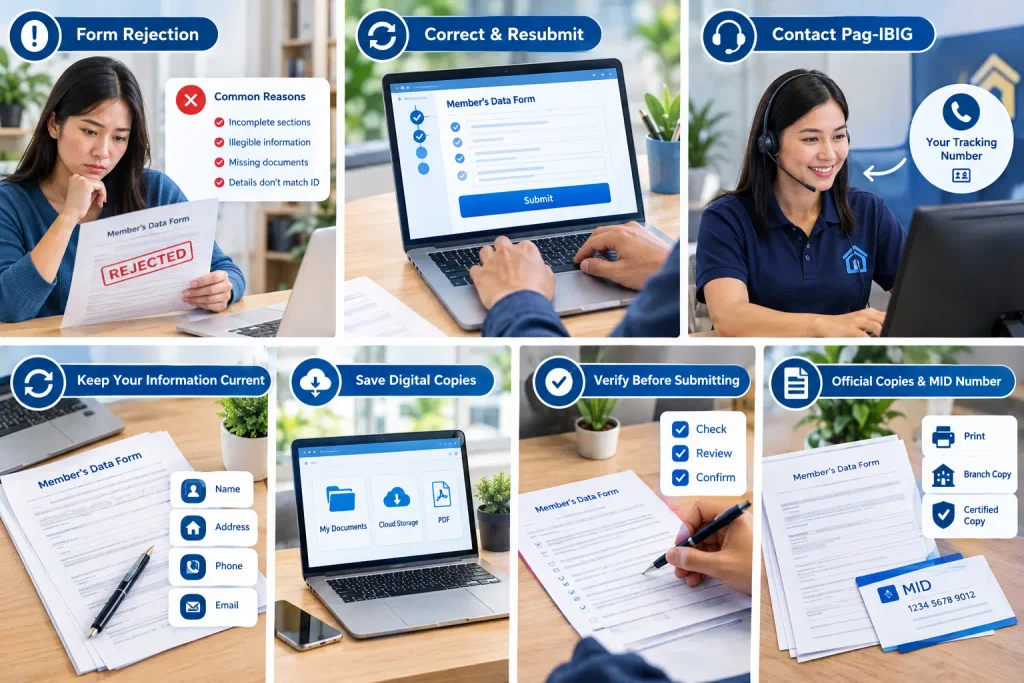
If your Member’s Data Form gets rejected by a branch or during online processing, Pag-IBIG typically notifies you of the specific reason for rejection. Common reasons include incomplete sections, illegible information, missing supporting documents, or discrepancies between the form and your government ID.
Once you understand what needs correction, correct the issue and resubmit your form with the necessary changes or supporting documents.
If you are unsure what caused rejection, contact Pag-IBIG directly with your tracking number for a specific explanation. Staff can clarify exactly what needs correction, preventing multiple rejections due to guessing about what went wrong.
Keep Your Information Current
The most common preventable problem with the Member’s Data Form is outdated information. Whenever your personal circumstances change, update your form within a reasonable time frame. This prevents mismatches between your form and other identification documents, which cause delays and complications.
Save Digital Copies
Print or download your Member’s Data Form and save a copy to your computer or cloud storage. This gives you backup access to your form details even if the online portal is temporarily unavailable. If you keep digital copies, ensure you replace them with updated versions whenever you update your information.
Verify Information Before Submitting Updates
Before you submit updates to your member’s data form, review every field carefully. Typos catch you by surprise later, and mistakes made during updates take time to fix. A thirty-second review before submission prevents hours of hassle later.
Keep Official Copies for Formal Submissions
If an organization requests your Member’s Data Form for official purposes, determine whether they require a branch-issued copy or accept a printed copy from your own records. If they specify a particular format or certification, follow that organization’s requirement.
Know Your MID Number
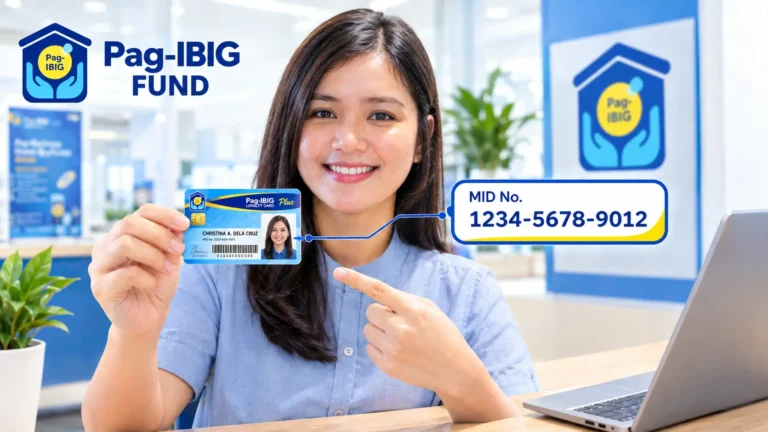
Your Pag-IBIG membership ID (MID) appears on your Member’s Data Form. Memorizing this number or keeping it written down allows you to access your form or retrieve account information without needing to have the form physically available.
Real-World Scenarios Where Your Member’s Data Form Matters
Scenario 1:
You Change Jobs
When you transition from one employer to another, your Member’s Data Form needs updating. Your new employer has a different Pag-IBIG ID number, and your employment information on your MDF must reflect the change. Delay in updating this information can cause your contributions to be posted to the wrong employer record, creating confusion about your accumulation and eligibility.
Scenario 2:
You Move to a New Address
Address changes on your Member’s Data Form matter because Pag-IBIG uses this address to send official documents and communications. If you move and do not update your address, you may miss important notices about loans, dividends, or account information. When you relocate, update your member information to ensure
Pag-IBIG has your correct residence address.
Scenario 3:
You Are Applying for a Housing Loan
Before applying for a Pag-IBIG housing loan, review your Member’s Data Form carefully. The lender will cross-check your loan application against your member record. If your name on the loan application does not match your name on your MDF, or if your employment information differs between the two documents, the loan application will face delays.
Scenario 4:
You Move to a New Address
Some employers ask new hires to bring a copy of their Member’s Data Form as part of payroll registration. If you do not have a copy, you can print one from your Virtual Pag-IBIG account or request one at a Pag-IBIG branch.
Having this document readily available speeds up
employment onboarding.
Pag-IBIG Member’s Data Form and Your Loan Application
The Member’s Data Form plays a supporting role in loan applications, and understanding that role prevents confusion during the lending process.
When you apply for a Pag-IBIG loan (multi-purpose, salary, housing, or other type), the Pag-IBIG lending team reviews your application against your member’s data form. They verify that the employment information on your application matches what is recorded in your member record. They confirm your name, birth date, and other identifying information. This cross-check ensures consistency and prevents fraud.
If discrepancies exist between your application and your member’s data form, the lender asks you to clarify or correct the differences before approving your loan. For example, if your member’s data form lists you as employed at Company A but your loan application states you work at Company B, that inconsistency must be resolved. The fastest resolution is updating your member’s data form to reflect your current employment before applying for the loan.
Frequently Asked Questions
Conclusion
The Pag-IBIG Member’s Data Form is more than an administrative document—it is the official record of your membership and the foundation for every Pag-IBIG transaction you conduct. Keeping it accurate, accessible, and up-to-date protects your membership, prevents application delays, and ensures your benefits are calculated correctly.