Virtual Pag-IBIG: Account Creation, Activation, Login, Verification, and Mobile App
You have heard about Virtual Pag-IBIG from your employer, a friend, or a government announcement, but the name alone leaves questions unanswered. Is it different from regular Pag-IBIG? Do you need it? How do you activate it? And most importantly, is Virtual Pag-IBIG legit, or is it yet another confusing government system that requires a branch visit anyway? These questions stop many Filipinos from taking the step to go online, and they end up managing their accounts the old way—through multiple branch visits and paper forms.
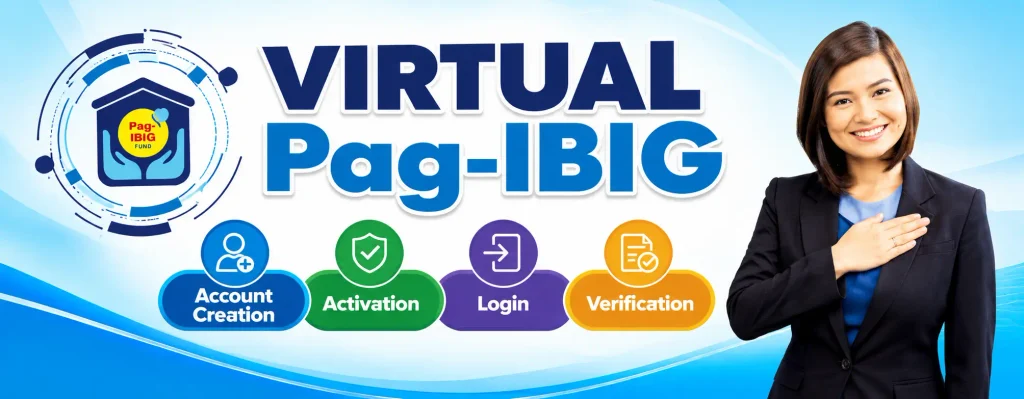
This guide answers every question someone searching “what is Virtual Pag-IBIG” or “how to create Virtual Pag-IBIG account” would have, all explained in straightforward language that does not require a government handbook to understand. By the end, you will know exactly what Virtual Pag-IBIG is, how it works, why it exists, and precisely how to set it up on your phone or computer today.
What Is Virtual Pag-IBIG, and How Does It Differ From Regular Pag-IBIG
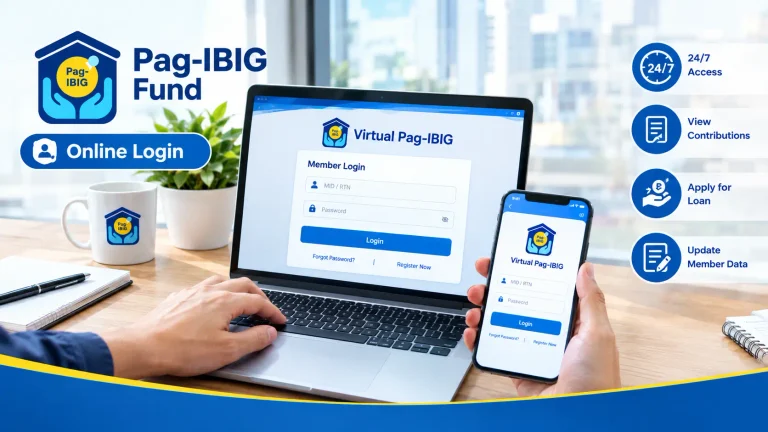
Virtual Pag-IBIG is the online platform operated by the Pag-IBIG Fund that lets members access their account and manage various services through the internet. It is not a separate program; it is the digital gateway through which members can view contributions, track loan applications, and manage savings programs without visiting a physical branch. The account you access online reflects your membership status and records in the official Pag-IBIG system.
Many Filipinos search “virtual pag ibig vs regular pag ibig” thinking they are two separate products, but the distinction is really just access method. Regular Pag-IBIG membership includes automatic contributions and eligibility for programs like MP2 savings and various loans. Virtual Pag-IBIG is simply your ability to manage that membership through the internet rather than in person. In practical terms, every Pag-IBIG member has the same fund and membership; the difference is whether you choose to monitor it and use services through an online account or by showing up at a branch desk.
The Pag-IBIG Fund itself—the government agency that manages all this—created the Virtual Pag-IBIG platform because branches became overwhelmed with member requests. The online system redistributes that load, letting members handle routine tasks instantly from home while branch staff focus on complex issues and biometric-dependent services like loyalty card issuance. It is a convenience tool designed to save members time.
The Purpose of Virtual Pag-IBIG and Why It Was Created
Virtual Pag-IBIG program exists for one core reason: efficiency. Before widespread online access, a member needing to check their contribution balance, update an address, or check a loan status had to plan an office visit, navigate to a branch office during working hours, take a number, and wait—sometimes for hours. That process repeated for every routine need, multiplied across hundreds of thousands of members.
The Pag-IBIG Fund recognized the problem and built an online system allowing members to handle these tasks immediately, at any hour, from anywhere in the Philippines or even overseas. The platform does not replace the need for branch visits entirely—some transactions like getting your loyalty card or processing certain loan documents still require biometric capture and in-person verification. However, Virtual Pag-IBIG eliminates the branch visit for the vast majority of day-to-day member needs.
Understanding this purpose helps explain why Virtual Pag-IBIG does certain things and not others. It is designed for speed and convenience on routine matters, not to replace every government service. Knowing that distinction prevents frustration when something genuinely requires a branch office.
Is Virtual Pag-IBIG Legit? Separating Fact From Scams
One of the most common searches related to Virtual Pag-IBIG is “is virtual pag ibig legit,” and the answer is unambiguously yes. Virtual Pag-IBIG is the official online platform operated directly by the Home Development Mutual Fund (HDMF), the legitimate government agency managing the Pag-IBIG program. There is nothing unofficial or suspicious about it. The portal is secure, your data is protected by government systems, and every transaction you complete through Virtual Pag-IBIG is binding and official.
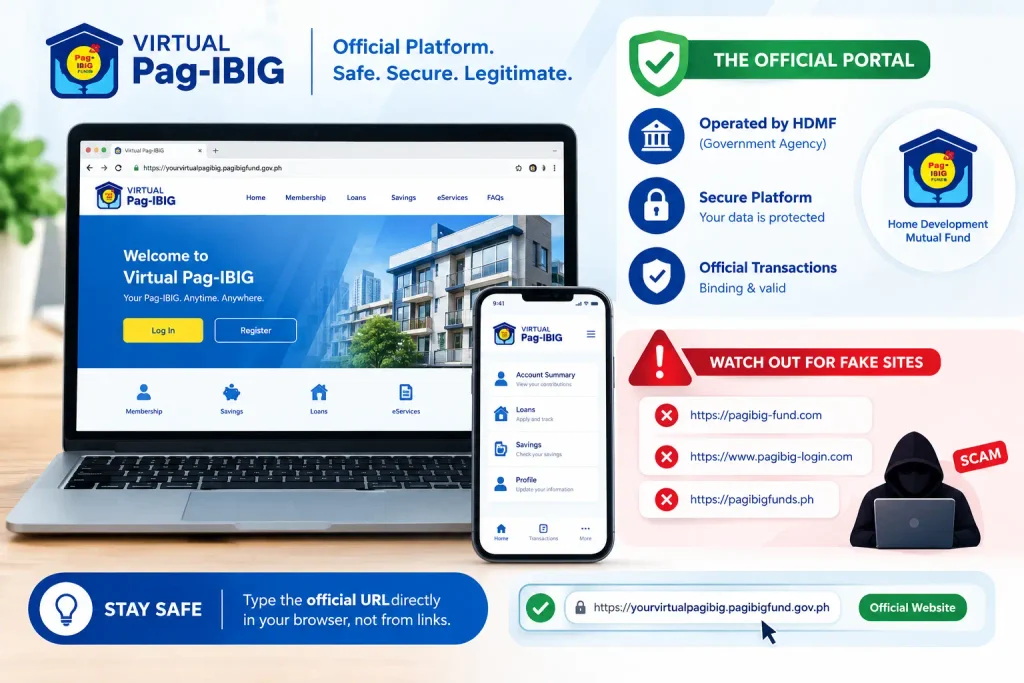
The legitimacy concern usually arises because fraudulent websites imitating Pag-IBIG exist online, designed to steal member information or money. These fake sites often use URLs that look similar to the official portal but with slight variations, hoping members make a typo or do not notice the difference. To ensure you are using the official Virtual Pag-IBIG website, always type the URL directly into your browser address bar rather than clicking links from emails or search results. Cross-reference the URL with printed materials from your employer or official Pag-IBIG announcements before entering sensitive information.
The official Virtual Pag-IBIG platform and Pag-IBIG branches are legitimate channels for member transactions and information. Be cautious of any website claiming to be Pag-IBIG that is not the official portal, as fraudulent sites designed to steal member information do exist.
How to Create a Virtual Pag-IBIG Account: Complete Step-by-Step Registration
Creating a Virtual Pag-IBIG account takes only a few minutes if you have the required information ready. The process differs slightly depending on whether you already have a Pag-IBIG number or are registering for the first time, but both paths lead to the same online account.
Determine Your Member Type
Before starting registration, decide which category matches your situation. Are you an employed member whose employer deducts contributions? A self-employed individual making voluntary contributions? An Overseas Filipino Worker (OFW)? A non-working spouse of a member? Each category has its own registration pathway, so selecting correctly from the start prevents confusion and ensures you provide the right information.
Gather Your Required Information
Have the following details ready before you open the website, because stopping mid-registration to find information slows the process significantly. You need a valid government-issued ID (passport, driver’s license, national ID card, or voter’s registration), your personal email address, an active mobile phone number, and if you already have one, your existing Pag-IBIG MID number. Self-employed members should also have recent income documentation ready to upload.
Visit the Official Virtual Pag-IBIG Website
Go to the official Virtual Pag-IBIG online portal by typing the exact URL into your browser. Do not use the search results link; type it directly. Once on the homepage, look for the “Register” button and click it to start the process.
Fill Out Your Personal Information
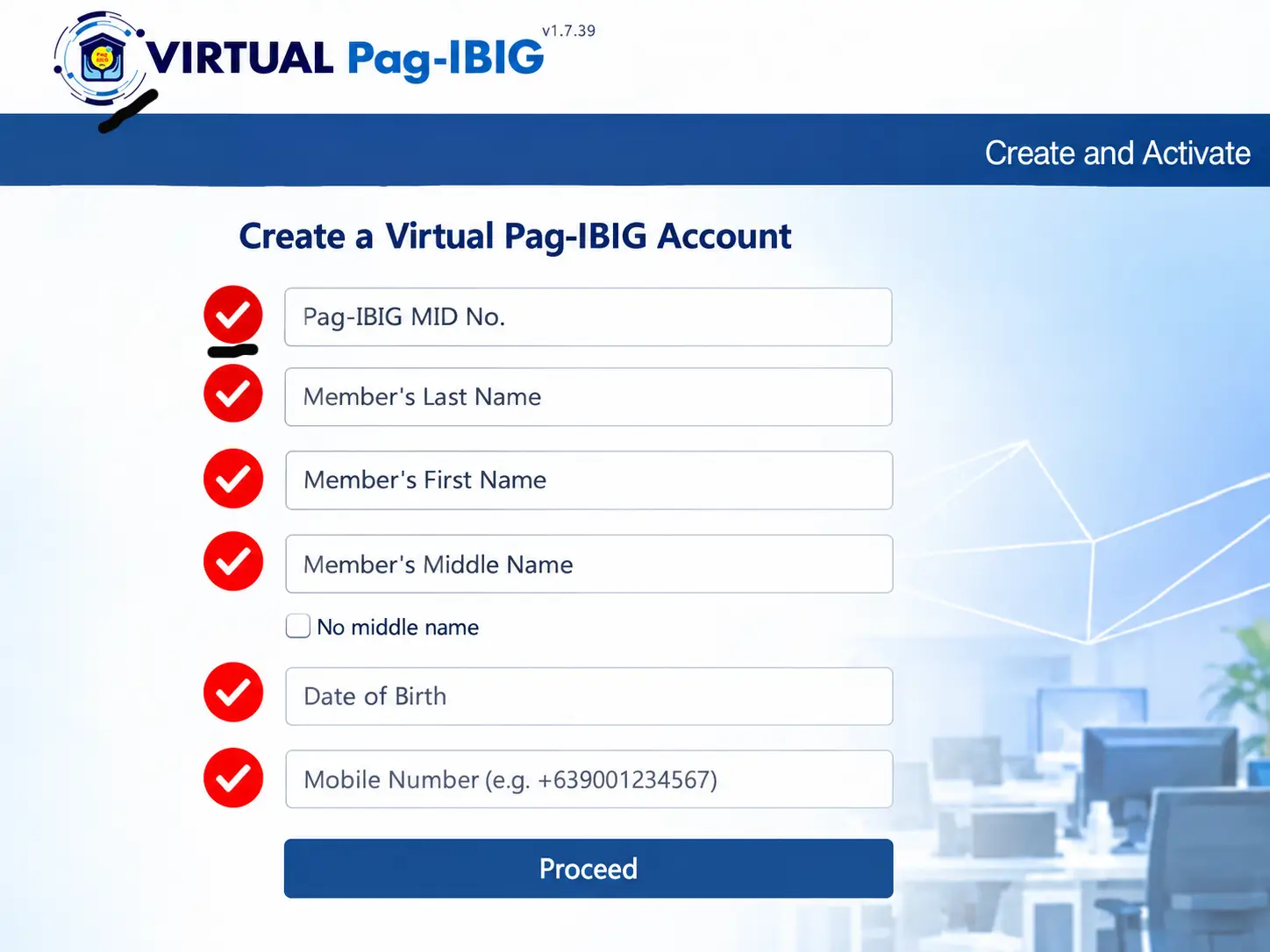
The registration form asks for your full legal name, birth date, civil status, current address, mobile number, and email address. Enter everything exactly as it appears on your government ID, since mismatches between your registration and your ID documents cause problems later. Spelling errors and incorrect birth dates are surprisingly common mistakes that cause rejections, so double-check before confirming.
Create Your MID Number or Enter Your Existing Number
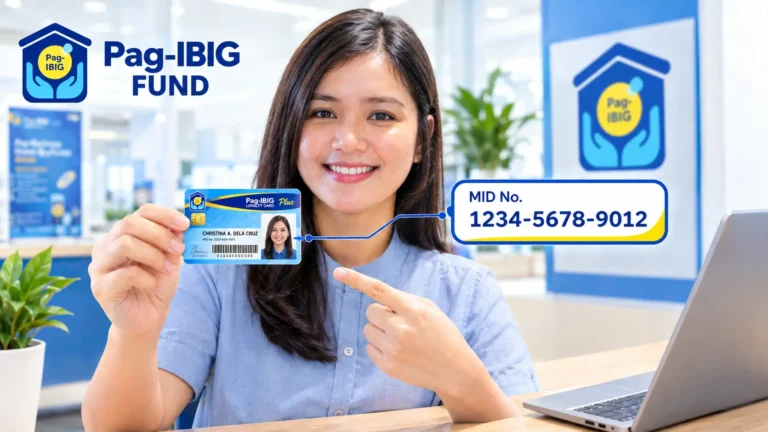
If you are a new Pag-IBIG member registering for the first time, the system guides you through generating your Pag-IBIG MID number, which is your unique membership identifier. The system assigns this automatically. If you already have a Pag-IBIG number from previous membership, enter it at this stage to link your online account to your existing record. This step is critical because entering the wrong number or using a different number than your official membership creates duplicate accounts.
Set Your Username and Password
Choose a username you can remember and a password that combines uppercase letters, lowercase letters, numbers, and special characters. This password protects your entire account, so make it something you can recall but others cannot guess. Write it down in a secure physical location, since password recovery later takes longer than prevention does.
Complete Online Verification
The system sends a verification code to your registered mobile number via SMS or to your email. Enter that code in the verification window to confirm you own the phone number and email address you provided. This step confirms you are human and prevents automated abuse of the system. If you do not receive the code, check that your phone is receiving SMS messages and that your email provider has not filtered the message to spam.
Accept Terms and Conditions
Read through the terms and conditions (or skim them if you are short on time), then confirm you accept them by clicking the agreement checkbox. This confirms you understand the portal’s rules and your responsibilities as a member.
Complete Your Profile Setup
Once verified, log in to your new account and complete any remaining profile information the system requests. This might include employment details, employer name and ID number, income information, or contact preferences. Completing this immediately after registration ensures your account is fully functional without waiting for follow-up prompts.
How to Activate Your Virtual Pag-IBIG Account
Many members create a Virtual Pag-IBIG account successfully but do not fully activate it, leaving their account in a partial state. Activation means completing all the setup steps until the system grants you full access to all member services. Here is how to ensure your account reaches full activation.
Completing Your Account Setup After Registration
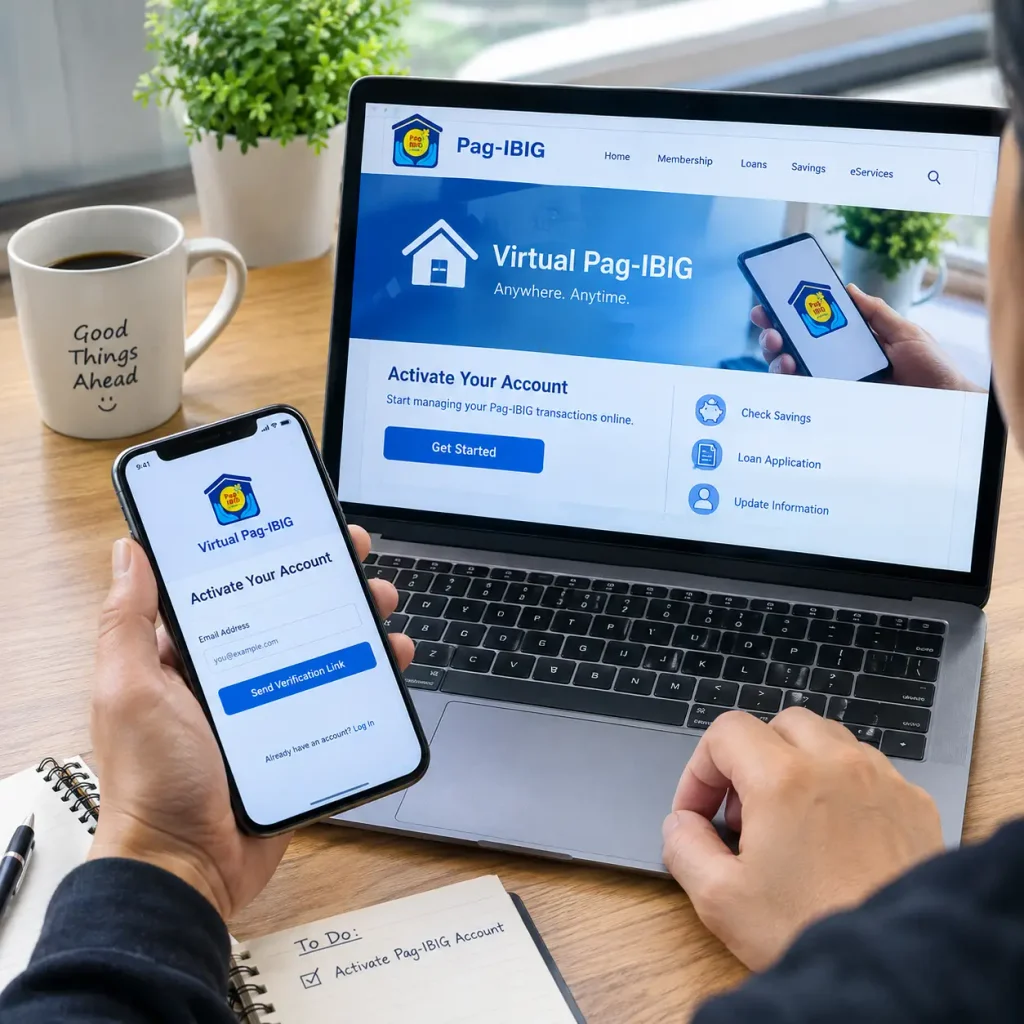
After registering, complete verification steps to ensure your account is fully functional. This typically includes verifying your email address and phone number through codes sent by the system. Once verified, you should be able to log in and access your account.
Ensuring Full Account Access
If you encounter difficulties completing these steps, contact the Pag-IBIG hotline or visit a branch for assistance. Support staff can help resolve issues preventing you from accessing your account.
Common Activation Mistakes to Avoid
Skip email or phone verification, and your account never fully activates. Use a mobile number no longer in your possession, and you cannot receive the verification code. Mistype your email address, and confirmation messages go to the wrong inbox. Register under the wrong member type category and later discover you used incorrect information.
How to Log In to Your Virtual Pag-IBIG Account
Once activated, logging in is simple but a few details trip up new users regularly.
- Go to the Virtual Pag-IBIG login page on your internet browser.
- Enter your username or, in some cases, your MID number (the system accepts either).
- Type your password carefully, keeping in mind the system is case-sensitive.
- If prompted, complete two-factor authentication by entering an OTP (one-time password) sent to your phone.
- Once authentication passes, you land on your member dashboard showing your account summary.
Your dashboard displays your current contributions, loan history, savings balance, and any pending applications. This is your command center for all Virtual Pag-IBIG online transactions.
Troubleshooting Virtual Pag-IBIG Login Problems
Forgotten passwords are the most common login issue. Use the “Forgot Password” link on the login page, confirm your identity through email, and set a new password within minutes. If you cannot access your registered email, contact the hotline for account recovery assistance. If the portal reports that your username does not exist, you may have registered under a different email or phone number than you remember, or you may not have completed activation. Try resetting your password anyway; if that fails, use the account recovery tool to locate your correct registration details.
The portal may experience slower performance during high-traffic periods. If you experience slow loading, try accessing the site at a different time.
Virtual Pag-IBIG Online Verification: What It Means and Why It Matters
Online verification is the process confirming your identity and account legitimacy without a branch visit. Virtual Pag-IBIG uses several verification methods depending on the transaction you are performing.
Email Verification
This is the first verification you complete during registration. The system sends a link or code to your registered email, and you click the link or enter the code within the portal. This confirms you own that email address and prevents someone else from registering using your name and email.
Mobile Phone Verification
Similar to email, the portal sends an OTP to your registered mobile number via SMS. You enter that code in the verification window. This confirms you own the phone number registered to your account and is a critical security step.
Identity Verification for Loan Applications
For larger transactions like housing loans, Virtual Pag-IBIG may request additional verification. You upload scans of government ID, recent payslips, or other documents. The system or a staff member reviews these to confirm you are who you claim to be and that your application information is accurate.
Accessing Your Virtual Pag-IBIG Account Online: Devices and Options
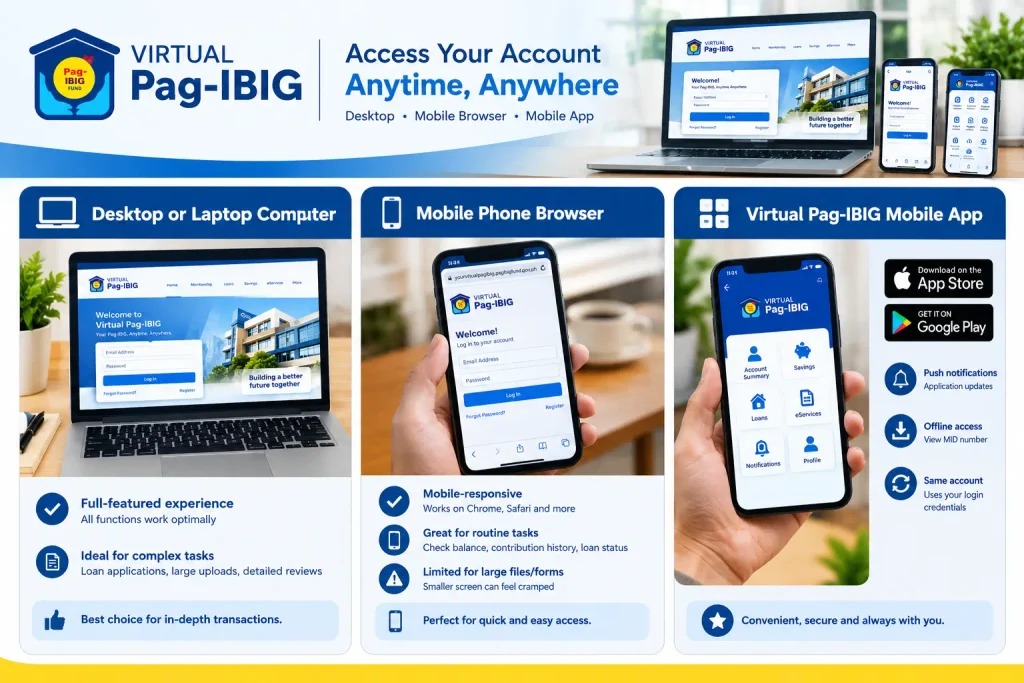
Virtual Pag-IBIG is accessible from multiple devices, and understanding the options helps you choose the best way to access your account based on your situation.
Desktop or Laptop Computer
Desktop browser access is the full-featured experience. All functions work optimally on a computer screen, making it ideal for lengthy transactions like loan applications, large document uploads, and detailed account reviews. If you have complex work ahead, desktop access is your best choice.
Mobile Phone Browser
Virtual Pag-IBIG is mobile-responsive, meaning it works on phone browsers like Chrome or Safari. Most routine transactions—checking balances, viewing contribution history, tracking loan status—work perfectly on a phone browser. However, uploading large documents or filling out lengthy forms feels cramped on a small screen, so consider desktop access if your task is complex.
Virtual Pag-IBIG Mobile App
Pag-IBIG has released a mobile app for both iOS and Android, available through the Apple App Store and Google Play Store. The app provides convenient on-the-go access to your account, push notifications for application status updates, and offline features like viewing your MID number without internet. The app requires the same login credentials as the website and accesses the same account.
Understanding Virtual Pag-IBIG Fund Components and Services
Virtual Pag-IBIG online account grants access to multiple fund services and programs, each serving a different member need.
Regular Pag-IBIG Contributions
Your mandatory monthly contributions appear in your account. If you are employed, your employer deducts these automatically. If you are self-employed or voluntary, you can make payments directly through the portal using various payment methods. Tracking contributions online lets you confirm they posted correctly without visiting a branch.
MP2 Savings Program
The Modified Pag-IBIG II (MP2) program allows members to make additional voluntary savings beyond regular contributions, earning higher dividend rates. Through Virtual Pag-IBIG, you can enroll in MP2, make periodic contributions, and track your MP2 balance and accumulated dividends over time.
Multi-Purpose Loans
The multi-purpose loan program lets members borrow against their accumulated savings for personal expenses. Through the Virtual Pag-IBIG account, you can check your maximum borrowing amount, review loan terms, and submit applications entirely online for many applicants.
Salary Loans
Salary loans are designed for employed members needing shorter-term financing. Virtual Pag-IBIG simplifies the application and allows you to track the status from submission to approval to fund release.
Housing Loans
Housing loans remain the flagship Pag-IBIG product for members wanting to buy or build a home. While some housing loan steps still require branch visits, Virtual Pag-IBIG lets you begin the application, upload documents, and track progress online.
Loyalty Card Management
Through Virtual Pag-IBIG, you can track the status of your Pag-IBIG Loyalty Card Plus application, request a replacement if your card is damaged, and manage account settings associated with your card.
Virtual Pag-IBIG MP2 Savings: Growing Your Money Online
MP2 (Modified Pag-IBIG II) is a voluntary savings program available through Virtual Pag-IBIG for members who want to make additional contributions beyond their regular mandatory payments.
You decide how much you want to contribute monthly to your MP2 account. You can set up automatic deduction from your salary or make manual payments. The money accumulates in your separate MP2 account and earns annual dividends declared by Pag-IBIG. Over time, these additional voluntary savings accumulate alongside your regular Pag-IBIG contributions.
Virtual Pag-IBIG Mobile App: Banking on Your Phone
The Virtual Pag-IBIG mobile app is available for download from the Apple App Store and Google Play Store. Download the app, install it, and log in with the same credentials you use on the website.
Through the app, members can check their account information, view contribution history, track loan applications, and perform other member services. The app provides a convenient way to access your Virtual Pag-IBIG account from your phone anytime you need it. If you spend your day on the go, the app offers easier access to your account compared to visiting the website on a computer.
Virtual Pag-IBIG Safe Loan Program
The Short-term Alternative Finance for Employment (SAFE) loan is one of the loan programs available to eligible Pag-IBIG members. Like other loan products, details about eligibility, application process, and terms can be found through Virtual Pag-IBIG or by contacting the Pag-IBIG Fund directly. Members interested in learning more about SAFE loans should refer to official Pag-IBIG materials or contact the hotline for current program details.
Virtual Pag-IBIG Account Creation for Different Member Types
Member type selection during registration shapes your experience, so understanding the options matters.
Employed Members
If you have formal employment and your employer makes Pag-IBIG contributions on your behalf, register as an employed member. During registration, you provide your employer’s name, company Pag-IBIG ID, and your position.
The system verifies this information against employer records, linking your
account to your company’s payroll.
Self-Employed and Voluntary Members
Self-employed individuals, freelancers, and those not in formal employment select this category. You declare your monthly income, and the system calculates suggested contribution amounts based on your income level, though you can choose to contribute more or less. This category gives you maximum flexibility since you are not tied to an employer’s deduction schedule.
Overseas Filipino Workers
OFWs register in this category to manage contributions from abroad. The system accepts international payment methods and foreign phone numbers for account recovery. OFW accounts function identically to domestic accounts, though some branch transactions may require working through a proxy representative.
Non-Working Spouses
Non-working spouses of Pag-IBIG members may be eligible to participate in the program. For specific requirements and eligibility details related to this category, contact
the Pag-IBIG Fund directly
or visit an official branch.
Troubleshooting Virtual Pag-IBIG Issues
Virtual Pag-IBIG Website Loads Slowly or Does Not Load
The website occasionally experiences traffic overloads during peak hours. Try accessing it outside of 8 AM to 12 PM on weekday mornings. If it still does not load, check your internet connection speed. If others report the site is down, wait an hour and try again. For persistent issues, contact the Pag-IBIG hotline to report the problem.
Verification Code Not Arriving
Check that your phone is receiving SMS messages normally by asking a friend to text you. Verify that the phone number you registered is correct in your Virtual Pag-IBIG account. Request the code again; sometimes it takes several minutes to arrive. If multiple requests fail, try switching from mobile verification to email verification for account recovery.
Virtual Pag-IBIG Login Username Rejected
You may have registered under a different username than you remember. Try the “Forgot Username” feature if available, which can help locate your correct username based on your registered email or phone number. Alternatively, use the “Forgot Password” feature, which typically asks for email confirmation and sends a password reset link.
Account Locked After Multiple Failed Login Attempts
Your account may be temporarily locked after multiple consecutive failed login attempts for security purposes. If this happens, use the account recovery tool to reset your password or contact the Pag-IBIG hotline for assistance.
Virtual Pag-IBIG Security and Privacy Protection
Your Virtual Pag-IBIG account contains sensitive personal and financial information, so security matters deeply.
Password Security
Use a strong, unique password for your Virtual Pag-IBIG account that you do not use for other online services. If you suspect your password has been compromised or you notice suspicious account activity, change it immediately. Contact Pag-IBIG if you suspect unauthorized access to your account.
Verification Codes and Security
Virtual Pag-IBIG may require verification codes sent to your registered phone number or email for certain transactions. These codes add a layer of security to your account beyond your password alone.
Phishing Prevention
Never click links to Pag-IBIG in emails or messages. Instead, type the official website URL directly into your browser. Legitimate Pag-IBIG communications remind you of this practice. If an email asks you to confirm your account information by clicking a link, ignore it and go directly to the official website to investigate.
Common Questions About Virtual Pag-IBIG Account
Conclusion
Virtual Pag-IBIG transforms how Filipino workers manage their most important government benefit. What used to require a half-day trip to a crowded branch office now takes ten minutes from your phone. Understanding what Virtual Pag-IBIG is, why it exists, and how to set it up removes the confusion that stops many people from going online and locks them into outdated ways of handling their accounts.