
Pag-IBIG Housing Loan Calculator: Calculate Monthly Payments, Affordability, and Amortization Online
You want to buy a house but have no idea how much monthly payment you can afford. You wonder if your Pag-IBIG savings are enough to qualify for a housing loan. You need to know exactly what amount you can borrow without straining your budget. You try searching for calculators online but cannot find one specifically designed for Pag-IBIG.
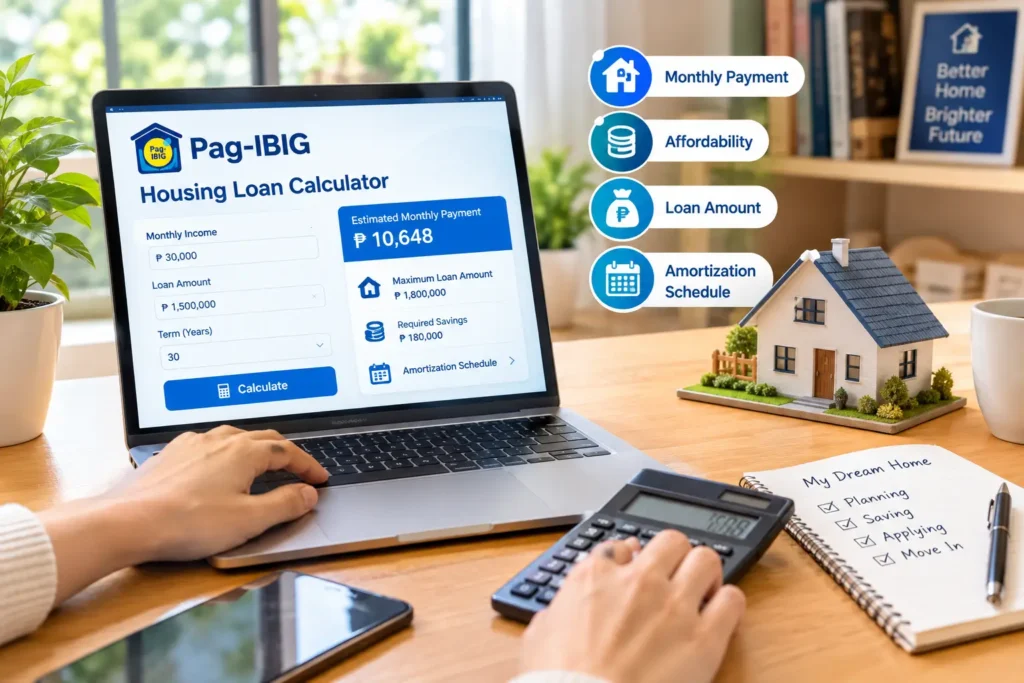
The Pag-IBIG housing loan calculator removes this confusion. It lets you compute your monthly payment, estimate your affordability based on your income, determine potential loan amounts, and understand your amortization schedule—all before you formally apply. This tool transforms the housing loan process from intimidating guesswork into informed decision-making.
This guide explains how to use the Pag-IBIG calculator, what it measures, and how to interpret the numbers it produces.
What Is a Pag-IBIG Housing Loan Calculator
A Pag-IBIG housing loan calculator is a tool that performs mathematical calculations based on loan parameters you input. You enter information like loan amount, interest rate, and loan term. The calculator computes your monthly payment obligation.
The calculator is not a loan approval tool—it does not determine whether you qualify or whether Pag-IBIG will approve you. It is purely mathematical: given these inputs, what is your monthly payment? Different calculators may compute different things: some calculate only monthly payment, others calculate total interest paid over the loan term, and others estimate your maximum loan amount based on your income.
The most useful Pag-IBIG calculators are affordability calculators, which work backward from your monthly income to tell you how much you can borrow while staying within acceptable debt-to-income ratios.
Where to Find the Pag-IBIG Housing Loan Calculator
Official Pag-IBIG Sources:
Pag-IBIG may provide calculators on its official website or through Virtual Pag-IBIG. Check the Pag-IBIG Fund website for available tools and current calculators. Features and availability may change, so always verify you are using an official Pag-IBIG tool.
Pag-IBIG Branches:
Visit any Pag-IBIG branch and ask staff to help you use their housing loan calculator. Branch representatives can walk you through the tool and explain the results in context of your specific situation.
Third-Party Calculators:
Various financial websites and apps offer housing loan calculators. While these may help understand basic calculations, always verify the parameters match Pag-IBIG’s actual rates and terms. Third-party calculators may use generic assumptions not specific to Pag-IBIG loans.
Caution With Outdated Information:
Many online calculators use 2018, 2019, or older interest rates and terms. These are outdated. Current Pag-IBIG interest rates and loan terms differ from years past. Always confirm you are using a current calculator reflecting 2026 parameters.

Understanding Housing Loan Affordability
The affordability calculator helps estimate how much you can borrow based on your financial situation.
Pag-IBIG assesses your capacity to pay based on your income, existing financial obligations, and applicable housing-loan guidelines. The calculator provides an estimate of your monthly payment, but the actual amount you can qualify for is determined during Pag-IBIG’s formal evaluation and underwriting process.
The affordability calculator helps estimate how much you can borrow based on your financial situation.
Pag-IBIG assesses your capacity to pay based on your income, existing financial obligations, and applicable housing-loan guidelines. The calculator provides an estimate of your monthly payment, but the actual amount you can qualify for is determined during Pag-IBIG’s formal evaluation and underwriting process.
What the Calculator Measures
Monthly Payment:
The primary calculation—how much you pay Pag-IBIG each month over the life of the loan. This is the principal and interest combined into one payment.
Total Interest Paid:
Over a 15-year or 20-year loan term, you pay significantly more in interest than the original loan amount. The calculator shows this total interest cost, which helps you understand the true cost of borrowing.
Loan-to-Value Ratio:
This measures what percentage of the property’s value you are borrowing. Pag-IBIG has specific loan-to-appraised-value limits depending on the housing-loan program and property type. The exact limits depend on applicable Pag-IBIG guidelines at the time of your application.
Estimated Affordability:
Affordability calculators can provide an estimate based on your income and existing debts. The calculator shows preliminary information, but your actual qualification depends on Pag-IBIG’s formal evaluation.
Amortization Schedule:
Some calculators display your amortization schedule—a month-by-month breakdown showing how much of each payment goes to principal versus interest, and your remaining balance after each payment.
How to Use the Housing Loan Calculator
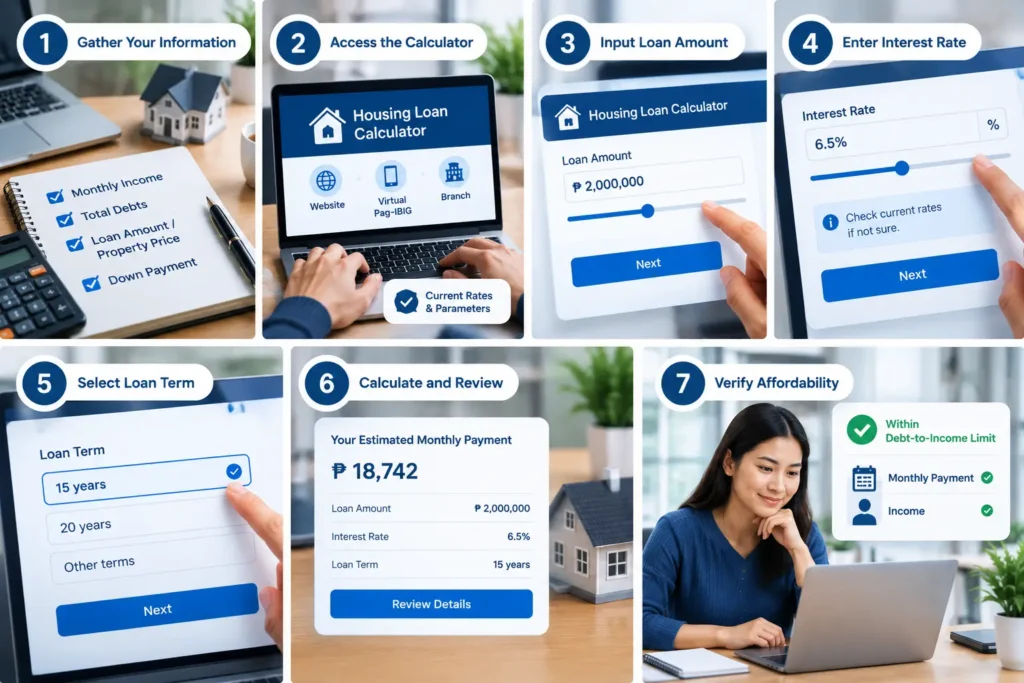
Gather Your Information
Before using any calculator, have ready: your monthly gross income, total monthly debt obligations, desired loan amount (or target property price), and down payment available.
Access the Calculator
If an official Pag-IBIG calculator is available through the Pag-IBIG website, Virtual Pag-IBIG, or at a branch, use that tool. Verify the calculator reflects current Pag-IBIG interest rates and loan parameters.
Input Loan Amount
Enter the amount you want to borrow. If you do not know this yet, you may need to work backward from your affordability or target property price.
Enter Interest Rate
Input the current Pag-IBIG housing loan interest rate. If unsure, check Pag-IBIG’s current rates or ask a branch representative. Interest rates determine your monthly payment significantly.
Select Loan Term
Choose your loan duration: 15 years, 20 years, or other terms available through Pag-IBIG. Longer terms mean lower monthly payments but higher total interest paid.
Calculate and Review
The calculator shows your monthly payment and other relevant figures. Review the result carefully and consider whether this monthly payment fits comfortably in your budget.
Verify Affordability
Check whether your computed monthly payment falls within Pag-IBIG’s debt-to-income limits based on your income. If it does not, the loan amount you entered is beyond what you can safely borrow.
Different Types of Housing Loan Calculators
Not all calculators do the same thing. Understanding what type you are using is important.
The simplest type—you input loan amount, interest rate, and term. It outputs your monthly payment. This tells you the cost of borrowing a specific amount but does not tell you whether you can qualify.
Integrates affordability assessment with payment calculation and amortization. The best calculators combine multiple functions into one tool.
Works backward from your income. You input your monthly income and existing debts. The calculator tells you the maximum loan amount you can safely borrow. This is the most useful type for planning—it answers “What can I borrow?”
Works from the property price you want to buy. You input the property cost and down payment. The calculator determines your loan amount needed, then shows monthly payment. Useful when you have a specific property in mind.
Produces a detailed month-by-month breakdown showing how much principal and interest you pay each month and your remaining balance. Useful for understanding the full repayment timeline.
Practical Calculator Scenarios
First-Time Home Buyer
You want to know what house price you can afford. Enter your monthly income, existing debt obligations, target property price, available down payment, desired loan term, and applicable interest rate into a calculator. The calculator shows your estimated monthly payment. Compare that against your budget and existing expenses.
Existing Pag-IBIG Debt
You have a Pag-IBIG housing loan and want to borrow again for another property. The calculator should account for your existing loan payment as part of your monthly obligations. This reduces the amount available for a new loan. Enter all details including existing payments into the calculator for an accurate estimate.
Adjusting Loan Term
A longer loan term generally lowers your monthly payment but increases the total interest paid over time. If your desired monthly payment seems too high, extending the loan term (from 15 to 20 years, for example) may lower it.
However, confirm current Pag-IBIG loan term options.
Larger Down Payment
Increasing your down payment reduces the loan amount you need to borrow, which lowers your monthly payment. If your target property’s required payment seems unaffordable, saving additional down payment money is one solution. Calculate the payment impact using different down payment amounts.
Making Sense of Calculator Numbers
The Monthly Payment Number: This is your obligation to Pag-IBIG every month. Ensure you can sustain this payment for the entire loan term (15-20+ years). Do not overextend.
Total Interest Paid: Over 15 years, you might pay PHP 1,500,000 in interest on a PHP 2,000,000 loan. This shows the true cost of money over time. The longer your loan term, the more interest you pay total.
Debt-to-Income Ratio: This percentage shows what portion of your income goes toward the housing loan payment. Pag-IBIG evaluates this as part of your capacity-to-pay assessment. The specific limits depend on Pag-IBIG’s current housing-loan guidelines.
Loan-to-Value Ratio: This shows what percentage of the property value you are borrowing. If the property is worth PHP 2,500,000 and you borrow PHP 1,500,000, your loan-to-value is 60%. Pag-IBIG has limits on this ratio.
Red Flags When Using Calculators
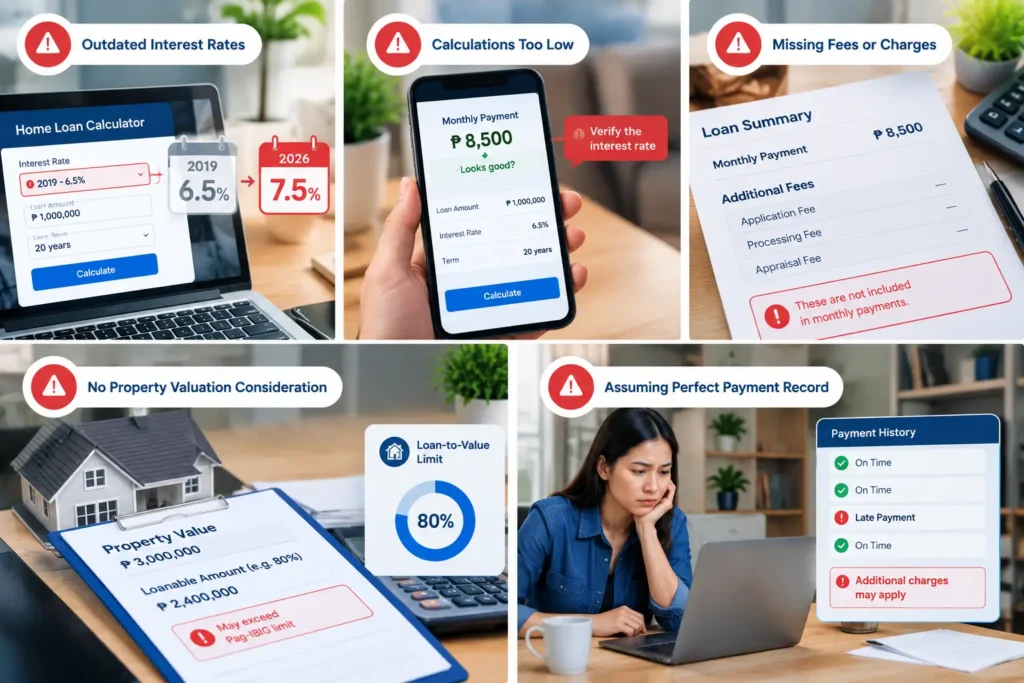
Outdated Interest Rates:
If the calculator uses 2019 rates when 2026 rates are different, your calculations are wrong. Always confirm the calculator reflects current rates.
Calculations That Seem Too Low:
If the calculator shows a monthly payment significantly lower than what you expected, verify the interest rate input. Mistakes here create false expectations.
Missing Fees or Charges:
Some calculators show the payment but forget Pag-IBIG’s application fees, processing fees, or appraisal fees. These are paid upfront, not monthly, but are real costs.
No Property Valuation Consideration:
If the calculator does not account for Pag-IBIG’s loan-to-value limits, it might tell you that you can borrow more than Pag-IBIG will actually lend on the property.
Assuming Perfect Payment Record:
If you have late payments during your loan, additional charges accrue. The calculator assumes perfect payment history.
After Using the Calculator: Next Steps
Verify Your Income Documentation: The calculator is based on income you input. Pag-IBIG will verify this. Have payslips, tax returns, or other income proof ready.
Get Property Appraisal: Pag-IBIG will not lend beyond a percentage of the appraised value. If your target property appraises lower than its listed price, your maximum loan is lower.
Check Your Pag-IBIG Account Status: Visit Virtual Pag-IBIG to review your membership, accumulated contributions, and current savings. These affect your qualification and loan amount.
Contact a Pag-IBIG Branch: Bring your calculator results to a branch and discuss your planned loan with staff. They can confirm whether your numbers align with current Pag-IBIG policies and rates.
Review Your Down Payment Readiness: Ensure you have your down payment saved and documented. Be prepared to provide documentation of available funds when required during the Pag-IBIG application process.
Confirm Your Loan Eligibility: After using the calculator, contact Pag-IBIG or proceed with the formal housing-loan application to determine your actual loan eligibility based on their complete evaluation.
Manual Calculation If No Calculator Available
If you cannot access a calculator, you can estimate your monthly payment using the basic formula, though this requires some calculation.
The Formula:
Monthly Payment = (Loan Amount × Monthly Interest Rate) / [1 – (1 + Monthly Interest Rate)^(-Number of Months)]
To Use This:
Convert your annual interest rate to a monthly rate (annual rate ÷ 12 ÷ 100). Convert your loan term to months (years × 12). Plug these into the formula above. A financial calculator or spreadsheet makes this easier than doing it by hand.
Example Walkthrough:
If you borrow PHP 2,000,000 at 3% annual interest over 15 years: monthly rate is 0.0025, number of months is 180. Using the formula yields approximately PHP 14,000 monthly payment. (This is an estimate; actual calculations depend on exact parameters.)
Why Manual Calculation Is Imprecise:
Interest rates, loan terms, and calculation methods vary. Manual estimates can be off by hundreds of pesos. Always use an official calculator for accurate numbers.
Understanding Amortization
Amortization is how your loan principal decreases over time as you make payments. At the beginning of the loan, most of your payment goes toward interest. As the loan ages, more of each payment goes toward principal. By the end of the term, you are paying mostly principal.
Early Payments: In month one of a 15-year loan at 3% interest, of your approximately PHP 13,800 monthly payment, about PHP 5,000 goes to interest based on the initial PHP 2,000,000 balance, and the remainder goes to principal. Pag-IBIG charges interest based on your outstanding loan balance.
Middle Payments: By year 8, the balance is lower. Perhaps PHP 7,000 goes to principal and PHP 7,000 to interest. You are paying down the loan faster.
Final Payments: By year 15, perhaps PHP 13,500 goes to principal and PHP 500 to interest. You are almost finished.
Why This Matters: If you sell the house early and pay off the loan, you have paid substantially more in interest than if you had simply given Pag-IBIG a lump sum upfront. If you are considering early or partial repayment of your Pag-IBIG housing loan, confirm the applicable rules, charges, and procedures with Pag-IBIG.
Multiple Loans and Calculator Considerations
Some members have multiple Pag-IBIG housing loans at different times. If you are calculating for a second or additional loan, Pag-IBIG may have different rules and limits. The calculator or branch staff should clarify this.
Existing Loan Impact
If you already have a Pag-IBIG housing loan, your monthly payment obligation on that loan counts as debt when calculating affordability for a new loan. Your debt-to-income ratio includes all existing Pag-IBIG payments.
Second Property:
Buying a second property requires qualification based on combined debt obligations. Your affordability for a second loan is lower than your affordability for a first loan, since the first loan’s payment is already using part of your allowable debt ratio.

Interest Rate Information
Pag-IBIG adjusts housing loan interest rates periodically based on economic conditions and fund performance. Rates in effect today may differ from rates in effect next month or next year. The calculator should reflect current rates.
Finding Current Rates: Check the official Pag-IBIG website or contact a branch for current interest rates. Do not rely on rates from news articles or online sources that may be months or years old.
Rate Impact on Payment: A change of even 0.5% in interest rate noticeably affects your monthly payment. Lower rates mean lower payments; higher rates mean higher payments. When interest rates change, your affordability also changes.
Fixed vs. Variable: Confirm whether Pag-IBIG housing loans are fixed-rate (rate stays the same for life of loan) or variable-rate (rate can change). This affects how much certainty you have about your future monthly payment.
Using Calculator Results for Loan Application
Once you understand your affordability and monthly payment through the calculator, use this information strategically.
Set Your Target Loan Amount:
Do not automatically borrow your maximum. If the calculator says you can afford PHP 3 million but you are comfortable with PHP 2.5 million monthly payments, borrow the lower amount. Financial comfort matters more than maximum qualification.
Budget for Total Costs:
Remember your monthly payment is only part of homeownership costs. Budget for property tax, insurance, maintenance, and HOA fees if applicable.
Prepare Documentation:
Pag-IBIG will request proof of your income to verify the figures you provided to the calculator. Have payslips, tax returns, or other income documentation ready when you apply.
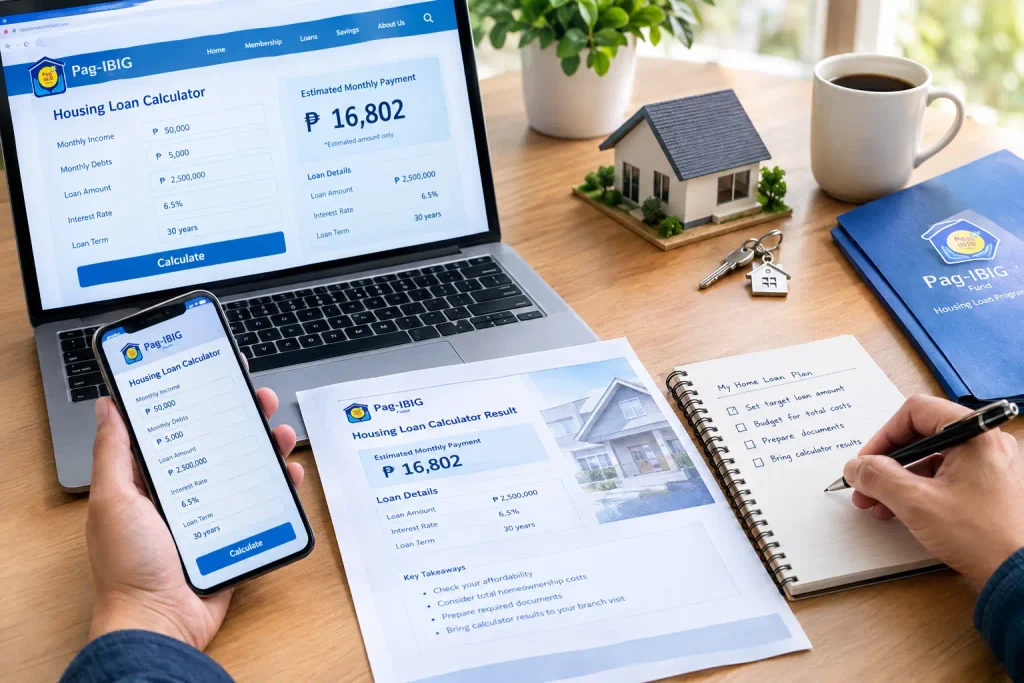
Bring Calculator Results:
While the calculator does not replace Pag-IBIG’s evaluation, bringing printouts or screenshots of your calculations can help you discuss your desired loan amount intelligently with branch staff.
Frequently Asked Questions
Conclusion
The Pag-IBIG housing loan calculator is your first step toward informed borrowing. Before you visit a branch or submit an application, use the calculator to understand your affordability, monthly payment reality, and true cost of borrowing over the life of your loan.
Do not skip this step. Many members apply for housing loans without fully understanding their monthly obligation, then struggle with payments later. The calculator prevents this by giving you clear numbers upfront. Spend time with the calculator, adjust your assumptions, and find the loan amount that truly works for your situation.